
Technology
Cisco ASA vs Firepower in Modern Networks

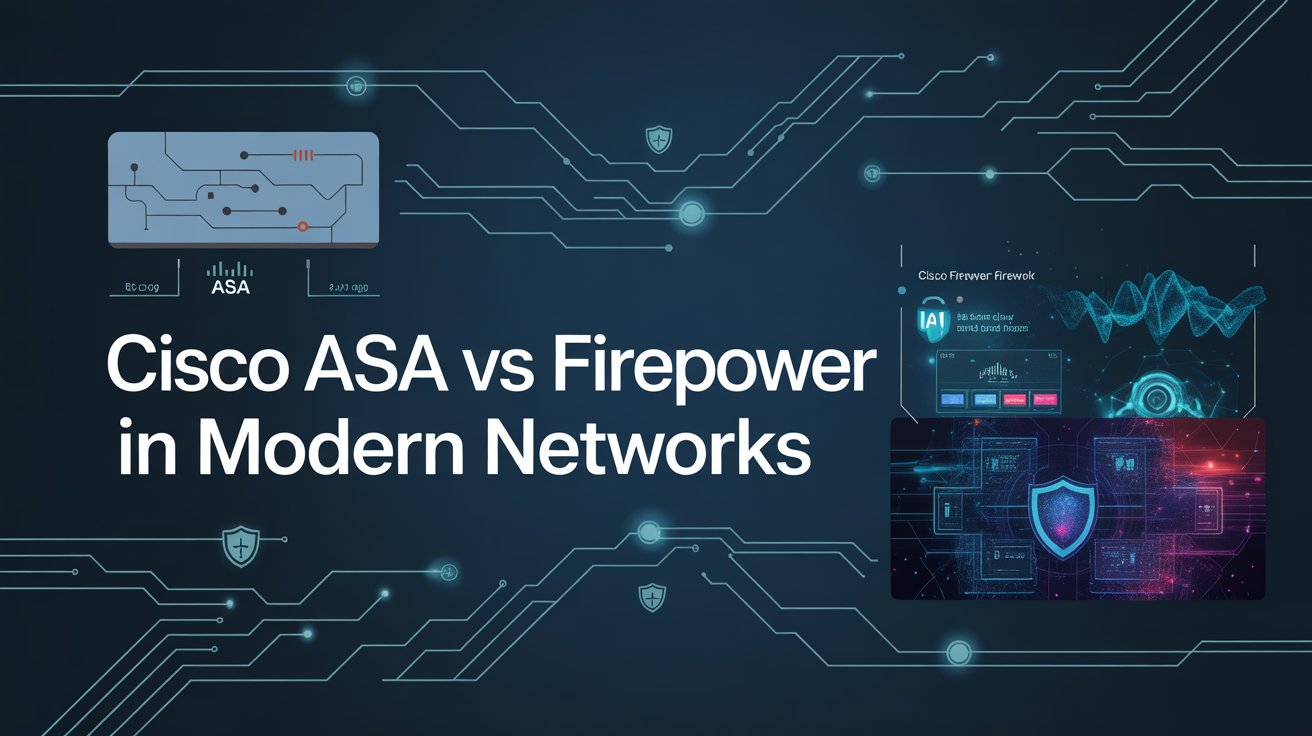
As cyber threats evolve, organizations must move beyond traditional firewalls to next-generation security solutions. Cisco has long been a leader in network security, offering two major firewall platforms: Cisco ASA (Adaptive Security Appliance) and Cisco Firepower.
While Cisco ASA dominated enterprise networks for years, Cisco Firepower has emerged as a next-generation firewall (NGFW) designed to handle modern threats, advanced visibility, and automated security workflows. Cisco Firepower training is essential for modern network security professionals who want to master next-generation firewall technologies.
This blog explores the differences between Cisco ASA and Firepower, their architecture, features, performance, and real-world use cases to help you choose the right solution for modern networks.
What is Cisco ASA?
Cisco ASA is a traditional stateful firewall designed primarily for perimeter security. It focuses on core firewall functionalities such as:
- Stateful packet inspection
- Network Address Translation (NAT)
- VPN (IPsec and SSL)
- Access control policies
- Basic intrusion prevention (limited)
Key Characteristics of Cisco ASA
- Legacy Architecture – Designed for traditional network environments.
- High Stability – Known for reliability and predictable performance.
- CLI-Centric Management – Managed primarily via command line or ASDM.
- Limited Threat Visibility – Lacks deep application and user-level visibility.
Cisco ASA is still widely used in enterprises that prioritize stability and simple firewall requirements.
What is Cisco Firepower?
Cisco Firepower is a next-generation firewall platform built to address modern security challenges. It integrates advanced security features such as:
- Advanced malware protection (AMP)
- Intrusion prevention system (IPS)
- Application-layer visibility and control
- URL filtering and reputation-based security
- Threat intelligence from Cisco Talos
Key Characteristics of Cisco Firepower
- Next-Generation Architecture – Designed for modern hybrid and cloud networks.
- Centralized Management – Managed via Firepower Management Center (FMC).
- Deep Visibility – Provides detailed insights into applications, users, and threats.
- Automation & Integration – Supports APIs and security orchestration.
Cisco Firepower represents Cisco’s shift from traditional firewalls to intelligent, threat-driven security platforms.
Cisco ASA vs Firepower: Core Differences
1. Security Capabilities
- Cisco ASA: Focuses on basic firewall and VPN features.
- Cisco Firepower: Offers advanced threat detection, malware protection, and behavioral analysis.
Firepower clearly outperforms ASA in modern threat environments.
2. Visibility and Control
- ASA: Limited application and user-level visibility.
- Firepower: Deep inspection of traffic, applications, and user behavior.
Modern enterprises require visibility, making Firepower more suitable.
3. Management and Usability
- ASA: Managed via CLI and ASDM, requiring manual configuration.
- Firepower: Centralized management through FMC with dashboards and analytics.
Firepower simplifies large-scale security management.
4. Performance and Scalability
- ASA: Optimized for traditional traffic patterns.
- Firepower: Built for high-volume, encrypted, and application-based traffic.
Firepower is better suited for cloud, IoT, and SD-WAN environments.
5. Integration with Modern Technologies
- ASA: Limited integration with modern security ecosystems.
- Firepower: Integrates with SIEM, SOAR, cloud platforms, and automation tools.
Firepower aligns with DevSecOps and zero-trust architectures.
Use Cases: When to Choose ASA or Firepower
When Cisco ASA is Suitable
- Legacy enterprise networks
- Simple firewall and VPN requirements
- Organizations with limited security budgets
- Environments prioritizing stability over advanced features
When Cisco Firepower is Suitable
- Enterprises facing advanced cyber threats
- Cloud and hybrid environments
- Organizations implementing zero-trust security
- SOC-driven security operations
- Compliance-driven industries (finance, healthcare, telecom)
In modern networks, Firepower is becoming the default choice.
Impact on Modern Network Security
The shift from Cisco ASA to Firepower reflects a broader transformation in cybersecurity:
- From perimeter-based security to zero-trust models
- From static policies to dynamic threat intelligence
- From manual management to automation and AI-driven security
Organizations that continue relying solely on ASA risk reduced visibility and slower threat response.
For network professionals, mastering Firepower is no longer optional—it is a strategic career move.
Career Perspective: ASA vs Firepower Skills
From a career standpoint:
- Cisco ASA knowledge is still valuable for legacy environments.
- Cisco Firepower expertise is critical for modern security roles.
- Professionals with Firepower skills are in higher demand in SOC, cloud security, and enterprise security teams.
This is why many engineers pursue advanced certifications and hands-on labs focused on next-generation firewalls.
Conclusion
Cisco ASA played a crucial role in shaping enterprise firewall security, but modern networks demand more than traditional firewall capabilities. Cisco Firepower represents the future of Cisco security, offering advanced threat detection, automation, and deep visibility.
As organizations adopt zero-trust architectures, cloud computing, and AI-driven security models, Firepower will continue to replace ASA in most enterprise environments. For network engineers and security professionals, understanding the transition from ASA to Cisco FTD is essential to stay relevant in the evolving cybersecurity landscape.

A physician email list is a critical asset for healthcare marketers, SaaS providers, pharmaceutical companies, and medical service organizations aiming to reach doctors directly. When sourced correctly, it enables targeted outreach, improved engagement, and measurable ROI. However, choosing the wrong provider can lead to poor data quality, compliance risks, and wasted marketing spend.
With dozens of vendors offering physician contact databases, knowing how to evaluate and select the right provider is essential. This guide outlines the key factors consumers should consider before investing in a physician email list provider.
Understand Your Targeting Requirements
Before evaluating providers, it’s important to define your campaign objectives. A reputable provider should be able to meet specific targeting needs rather than offering a one-size-fits-all database.
Consider the following criteria:
- Medical specialty (cardiologists, dermatologists, orthopedists, etc.)
- Geographic location (country, state, city, or region)
- Practice type (hospital-affiliated, private practice, group practice)
- Professional role or job title
- Years of experience or certifications
Clear targeting requirements help ensure you choose a provider capable of delivering a list aligned with your business goals.
Evaluate Data Accuracy and Verification Methods
Data accuracy is one of the most important indicators of a quality physician email list provider. Physician information changes frequently due to practice moves, retirements, or role changes, so outdated data can result in high bounce rates and low engagement.
Ask providers about:
- How data is sourced
- Verification processes (manual, automated, or hybrid)
- Frequency of database updates
- Bounce rate guarantees or replacement policies
Reliable providers typically refresh their databases monthly or quarterly and use multiple verification layers to maintain accuracy.
Check Compliance With Email and Data Privacy Regulations
Compliance is non-negotiable when dealing with healthcare-related contact data. A trustworthy provider should follow applicable email marketing and data protection regulations.
Key compliance considerations include:
- CAN-SPAM Act (for US-based campaigns)
- GDPR (for EU audiences)
- Consent and opt-out mechanisms
- Ethical data sourcing practices
While HIPAA generally applies to patient data rather than physician contact details, providers should still demonstrate strong data governance standards. Avoid vendors that cannot clearly explain their compliance framework.
Assess List Customization Capabilities
High-performing email campaigns rely on personalization and segmentation. The right provider should offer customization options rather than forcing buyers to choose from rigid, pre-packaged lists.
Look for providers that support:
- Custom segmentation by specialty or location
- Inclusion of additional data fields (hospital affiliation, phone number, LinkedIn profile)
- Suppression of duplicate or irrelevant contacts
- Flexible list sizes based on campaign scope
Customization not only improves campaign performance but also reduces unnecessary costs.
Review Sample Data Before Purchase
Reputable physician email list providers are usually willing to share sample records. Reviewing sample data allows you to assess formatting, completeness, and relevance before making a commitment.
When reviewing samples, check for:
- Valid email formats
- Consistent data structure
- Relevant and updated job titles
- Clean, readable fields without obvious errors
A provider unwilling to share sample data may not be transparent about data quality.
Understand Pricing and Licensing Terms
Pricing for physician email lists varies widely depending on data depth, segmentation, and usage rights. Instead of focusing solely on cost, evaluate the overall value and terms of use.
Important pricing-related questions include:
- Is pricing based on number of contacts or usage?
- Is the list licensed for single or multiple campaigns?
- Are there additional fees for customization or updates?
- What refund or replacement policies are offered?
Clear licensing terms help prevent misuse and protect your marketing investment.
Look for Industry Experience and Reputation
Experience in the healthcare data space matters. Providers with a proven track record are more likely to understand physician segmentation, compliance, and data accuracy challenges.
Ways to assess reputation include:
- Client testimonials and reviews
- Years in operation
- Industries served (pharma, healthcare IT, medical devices)
- Case studies or success stories
An established provider is generally a safer choice than an unknown vendor with limited credibility.
Evaluate Customer Support and After-Sales Service
Post-purchase support is often overlooked but plays a critical role in long-term success. The right provider should offer responsive customer service and ongoing assistance.
Strong support includes:
- Help with list refinement
- Replacement of invalid contacts
- Guidance on compliance and best practices
- Dedicated account management for large purchases
Reliable support ensures smoother campaign execution and better outcomes.
Conclusion
Choosing the right provider requires more than comparing prices or contact volumes. Data accuracy, compliance, customization, transparency, and support all contribute to the long-term effectiveness of your outreach efforts. By carefully evaluating these factors, consumers can minimize risk and maximize campaign performance.
A well-sourced and compliant physician mailing list can become a powerful marketing asset when partnered with the right provider and used strategically.


Introduction
Video content has become the most powerful form of digital communication. From social media influencers to professional marketers, everyone is searching for smarter ways to create high-quality videos quickly. This is where Seedance 2.0 is gaining massive attention. It represents a new generation of creative technology designed to simplify editing while improving output quality.
Unlike traditional editing solutions that require long learning curves, Seedance 2.0 focuses on speed, automation, and creativity. When combined with modern editing platforms like CapCut, it opens new opportunities for creators to produce visually stunning content without complicated processes. This article explores how Seedance 2.0 is shaping the future of video production and why creators are rapidly adopting it.
What Makes Seedance 2.0 Different from Traditional Editing Tools
Most editing tools require manual adjustments for transitions, effects, and color corrections. Seedance 2.0 introduces a more intelligent approach. It focuses on simplifying editing tasks through advanced automation and creative support features.
One of the biggest improvements in Seedance 2.0 is its ability to analyze content structure. It helps editors organize clips, detect important scenes, and suggest editing styles automatically. This saves hours of manual work and allows creators to focus more on storytelling instead of technical editing.
Another major advantage is compatibility with platforms like CapCut. Many creators prefer CapCut because of its user-friendly interface and strong editing performance. Seedance 2.0 complements such platforms by enhancing workflow efficiency and creative flexibility.
How Seedance 2.0 Improves Video Production Workflow
Modern content creation demands speed without sacrificing quality. Seedance 2.0 helps creators achieve both by introducing smarter workflow optimization. Instead of editing clips one by one, users can manage multiple editing elements simultaneously.
Faster Clip Arrangement
Seedance 2.0 helps identify key moments in videos and suggests clip placements. This is extremely helpful for social media creators who need fast editing solutions for short-form content like reels and promotional videos.
Automated Enhancement Suggestions
The system analyzes lighting, colors, and movement in videos. It then recommends filters, transitions, and visual adjustments. When combined with CapCut’s powerful editing features, creators can easily transform basic footage into professional-level videos.
Improved Time Management
Content creators often struggle with tight deadlines. Seedance 2.0 reduces editing time significantly, making it easier to produce consistent content. This is especially beneficial for digital marketers, YouTubers, and brand promoters.
Creative Advantages of Using Seedance 2.0
The biggest strength of Seedance 2.0 is its focus on creative freedom. Instead of replacing creativity, it enhances it. Editors can experiment with new visual styles while maintaining professional video quality.
Seedance 2.0 allows creators to explore unique storytelling techniques. It provides creative suggestions based on video themes, mood, and content type. When used alongside CapCut, creators can combine smart automation with manual creative control, producing highly engaging videos.
Another advantage is its support for multiple content formats. Whether someone is creating educational videos, promotional advertisements, or entertainment clips, Seedance 2.0 helps maintain visual consistency and quality across all projects.
Why Content Creators Are Adopting Seedance 2.0 Rapidly
The digital content industry is becoming more competitive every day. Creators need tools that help them stand out. Seedance 2.0 is becoming popular because it offers both efficiency and creative improvement.
Beginner-Friendly Features
Many beginners feel overwhelmed by professional editing software. Seedance 2.0 simplifies the editing process, allowing new creators to produce high-quality videos without technical expertise. When paired with CapCut, beginners can quickly learn editing techniques while creating professional content.
Professional-Level Results
Even experienced editors benefit from Seedance 2.0. It helps reduce repetitive tasks and allows professionals to focus more on creative storytelling. The combination of automation and manual control creates a balanced editing experience.
Strong Social Media Performance
Videos created using Seedance 2.0 often show better engagement because of improved visual quality and smoother transitions. Social media algorithms favor high-quality content, making this technology highly valuable for influencers and marketers.
The Role of Seedance 2.0 in Future Content Creation
Technology is continuously changing the way people create and consume content. Seedance 2.0 represents a major step toward automated and intelligent editing solutions. As video marketing continues to grow, tools like Seedance 2.0 will play an important role in content strategy.
Platforms such as CapCut already provide powerful editing capabilities. Seedance 2.0 adds an extra layer of creative assistance, making video production faster and more efficient. This combination allows creators to maintain high content quality while increasing production speed.
In the future, video editing is expected to become more automated while still supporting creative control. Seedance 2.0 is helping creators adapt to this shift by offering smarter editing support without removing artistic freedom.
Tips for Getting the Best Results with Seedance 2.0
To maximize the benefits of Seedance 2.0, creators should follow a few simple strategies:
- Always start with high-quality raw footage for better editing results.
- Combine Seedance 2.0 automation with manual adjustments in CapCut for unique visual effects.
- Experiment with different editing styles to discover creative possibilities.
- Focus on storytelling instead of relying only on effects and transitions.
- Maintain consistent branding in all video content.
By following these practices, creators can produce visually appealing videos that attract and retain audience attention.
Conclusion
Seedance 2.0 is transforming the way creators approach video editing. By combining automation, creative suggestions, and workflow optimization, it allows both beginners and professionals to produce high-quality content efficiently. Its compatibility with advanced editing platforms like CapCut further strengthens its value in the digital content industry.
As video content continues to dominate online platforms, creators need smarter tools that help them stay competitive. Seedance 2.0 offers a balanced combination of speed, creativity, and professional editing quality. For anyone looking to improve video production without complex processes, Seedance 2.0 is becoming an essential part of modern content creation.
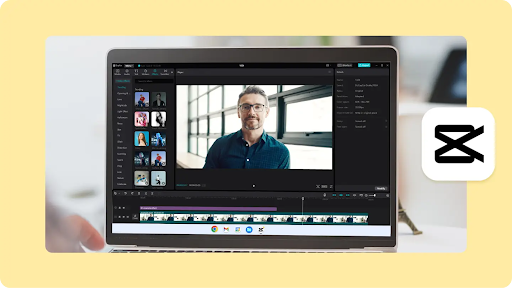
It is no longer necessary to use costly equipment and studios to produce refined videos. During the last 10 years, I have tried dozens of editing platforms when working with students, small businesses, and content creators, and the largest demand has never been different. People desire effective tools that can be utilized without complications, are totally free, and do not leave any form of branding.
This tutorial discusses the role of free video editing software and a modern video maker in enabling both amateurs and professionals to create clean, professional looking videos without watermarks. You can save time and frustration by understanding what these tools can realistically offer, whether you are editing for learning purposes, social media content, or personal projects.
The Importance of Watermark Free Video Editing
Although watermarks might not appear to be a serious problem, they automatically undermine the credibility of a video. For students submitting assignments, creators building a brand, or teachers preparing lessons, a watermark can make the work appear unfinished.
From my experience working with new editors, many give up on otherwise excellent tools simply because the final output does not feel like their own.
Selecting software that allows watermark free exports gives full ownership of creative work. It also removes the pressure to upgrade before you are ready. This freedom is especially beneficial for beginners who are still learning the basics of editing and need space to experiment confidently.
Important Things to Consider in Free Video Editing Software
Not every free tool offers the same level of quality or control. Understanding the features that matter most for long term use is essential before choosing a video maker.
Clean Export Options
The most important feature is the ability to export videos without logos or branding. Some platforms allow watermark free exports only at certain resolutions, while others support full HD output. Export settings should always be reviewed carefully before starting a project.
User Friendly Interface
A clean layout speeds up the learning process. Tools designed for beginners often include drag and drop timelines, simple trimming options, and visual previews. Early in my career, I found that editors with clear menus reduced editing time by nearly fifty percent.
Essential Editing Tools
A reliable free editor should support cutting, splitting, transitions, basic color correction, text overlays, and audio adjustments. When used properly, these features are more than enough to achieve professional results.
Hardware and Software Support
Some free video editing software works offline, while others are browser based. Offline editors are ideal for slower internet connections, while an online video maker offers flexibility across devices.
Common Types of Watermark Free Video Makers
Understanding the types of tools available can help narrow your choices and avoid unrealistic expectations.
Desktop Based Editors
Desktop editors are generally more powerful and stable. They support larger files and more advanced features. Many open source platforms fall into this category and are widely used by students and educators.
Online Video Editing Software
Online video makers are convenient and require no installation. They are suitable for quick projects and social media content. However, export limitations may apply, so watermark policies should always be verified.
Mobile Video Editing Apps
Mobile editors are ideal for short form content and editing on the go. Some free apps offer surprisingly strong features, although file size limits and format options may be more restricted.
Most Effective Uses of Free Video Editing Software
Different users benefit from different strengths, which is why understanding your purpose is important.
Students often need simple tools for presentations, assignments, and project work. Teachers benefit from quick trimming and annotation features. Content creators rely on smooth transitions and text effects. Small businesses value clean branding and dependable exports. A flexible video maker can support all of these needs when chosen carefully.
Learning Curve and Performance
One of the most common mistakes beginners make is choosing overly complex software too early. While advanced tools are powerful, they can slow learning and reduce motivation.
In workshops I have conducted, participants who started with simpler editors gained confidence faster and achieved better results within weeks. A free video editing program should feel intuitive within the first few hours of use. Tutorials and community support also play a major role in long term success.
Export Quality and File Formats
Export quality determines how professional your video appears across platforms. Look for editors that support standard formats such as MP4 and allow control over resolution and frame rate.
Even free tools can deliver sharp, professional results when export settings are optimized. A dependable video maker should also maintain proper audio synchronization and visual clarity during export. Poor optimization can ruin an otherwise excellent edit.
Security and Reliability Considerations
Free tools should still respect user privacy and system security. Avoid software that repeatedly requests unnecessary permissions or requires constant sign ups.
Trusted platforms usually have clear documentation and active user communities. Regular updates are another positive indicator, showing continued development and improved long term reliability.
Conclusion
The free video editing software you choose can completely transform your confidence when working on video projects. A well designed video maker without watermarks allows creators to focus on storytelling rather than technical limitations.
From my professional experience, the best results come from tools that balance simplicity, essential features, and clean exports. When you invest time in learning the basics with the right software, the quality of your videos improves naturally. For students, teachers, and aspiring creators, watermark free editing is not a luxury. It is the foundation of credible and professional content creation.
FAQs
Can free video editing software be used professionally?
In many cases, yes. As long as the software supports watermark free exports and essential editing features, it can produce professional quality videos suitable for real world use.
Do free video makers limit creativity?
While premium tools offer advanced effects, most free editors provide enough flexibility for learning, teaching, and content creation without restricting creativity.
Are watermark free video editing tools safe to use?
Trusted platforms with active communities, transparent policies, and regular updates are generally reliable and safe for everyday use.
Is export quality good in free video editing software?
With proper settings, many free editors can export high resolution videos suitable for social media, presentations, and educational projects.
-
 Blog3 months ago
What Is i̇ns? Exploring Its Origins, Usage, and Symbolism
-
 Blog3 months ago
Jememôtre: A Hidden Gem in the World of Culture
-
 Technology3 months ago
Cartetach: The Next Big Thing in Digital Communication
-

 Technology2 months ago
100GBASE-ZR4 Optical Modules: A Practical Long-Reach Solution for Modern Data Center Interconnects
-

 Technology3 months ago
Rgarrpto: Understanding Its Impact on Modern Technology
-

 Blog3 months ago
Hormita: Understanding the Meaning, Uses, and Digital Importance of a Rising Keyword
-

 Life Style3 months ago
Taylor Breesey Face Reveal: Everything Fans Need to Know
-

 Business1 month ago
Essential Online Banking Security Tips to Protect Your Finances